Vendor risk assessments your vendors actually complete.
SIG, CAIQ, or custom assessments through a portal vendors actually finish. Auto-scored against your criteria, validated by your reviewers, and carried into remediation on the same record.
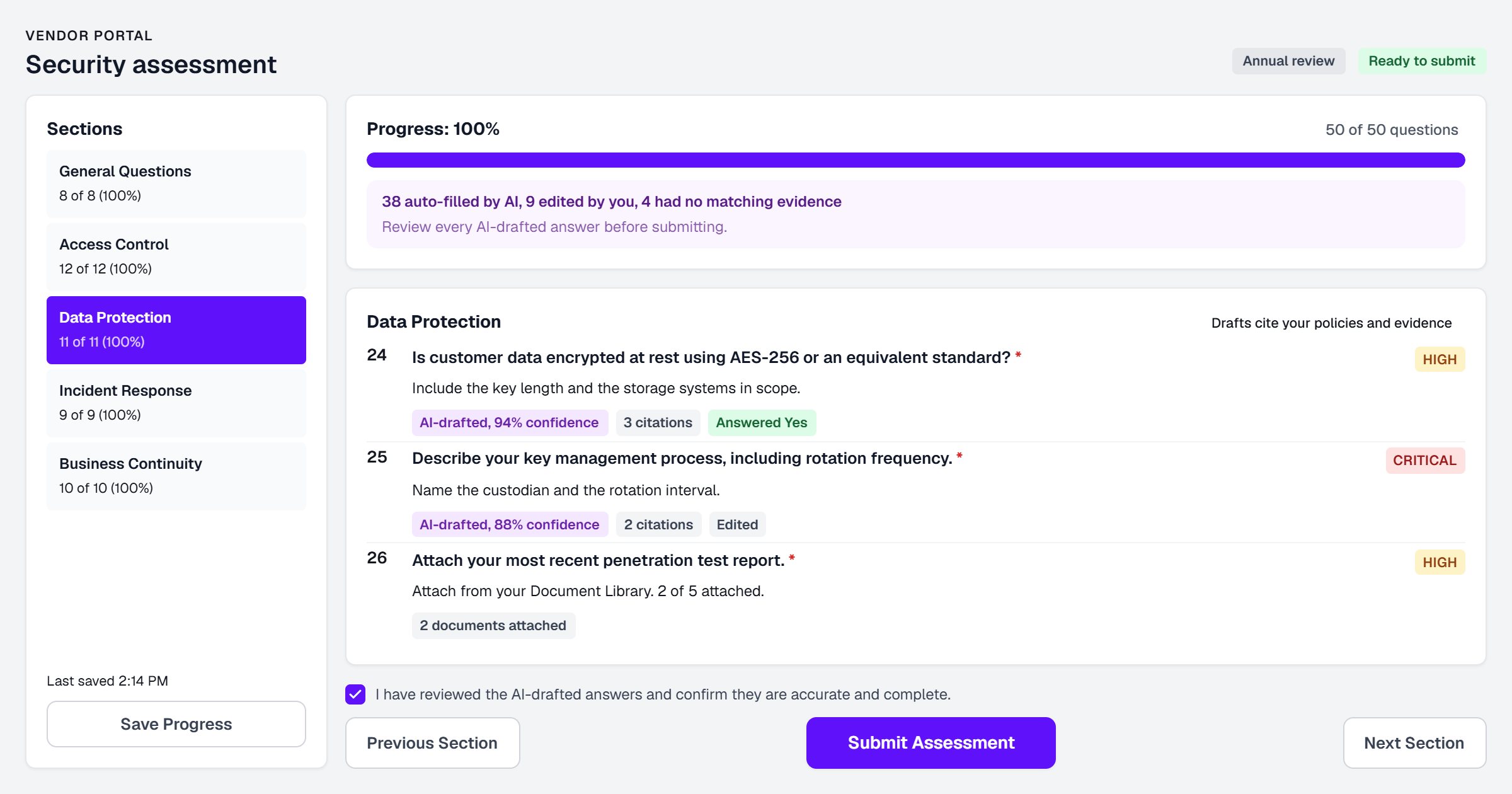
From sent to scored to remediated, on one record.
SIG, CAIQ, and custom templates
Start from SIG or CAIQ, or build custom. Scope the depth to the vendor's tier.
- SIG and CAIQ templates ready to send
- Custom questionnaires built to your criteria
- Assessment depth scoped by vendor tier
A portal vendors want to finish
A dedicated portal with clear progress, inline evidence, and opt-in AI drafting.
- Dedicated vendor portal with progress tracking
- AI-assisted vendor responses, strictly opt-in
- Evidence attached inline as they answer
Automatic scoring against your criteria
Responses score automatically against your criteria and feed the vendor's three-layer risk score.
- Scoring runs against your defined criteria
- Weak and contradictory answers flagged
- Assessed posture feeds the vendor risk score
Evidence collected, not just claimed
Certifications, reports, and attestations attach to the answer they support. Immutable once approved.
- Evidence requested per question, not per email
- Artifacts linked to both response and vendor record
- Immutable once linked to an approved assessment
Reviewer validation with final say
Reviewers can override any AI score, and the override always wins. Every decision is audit-logged.
- Reviewer decisions always override AI scores
- Every override attributed and audit-logged
- Approval trail defensible to auditors
Remediation and reassessment, connected
Failed criteria become remediation tasks in the same portal. A completed reassessment resets the monitoring baseline.
- Remediation tasks generated from failed criteria
- Vendors close tasks in the same portal
- Completed reassessments reset the monitoring baseline
Three steps from setup to value.
Build and send
Pick a template, scope it to the tier, and send it through the portal.
Score and validate
Responses auto-score as they arrive. Your reviewers have the final say.
Remediate and reassess
Findings become remediation tasks, tracked to closure on the vendor record.
This page covers the assessments you send to vendors. For the security questionnaires your customers send to you, see the Questionnaire Engine, which drafts cited answers from your own controls and evidence. And for what happens in the months after an assessment closes, see Continuous Vendor Monitoring.